Use Case
Smart Inbox Automation for Buyers Agents
Smart Inbox Automation for Buyers Agents
Short Description:
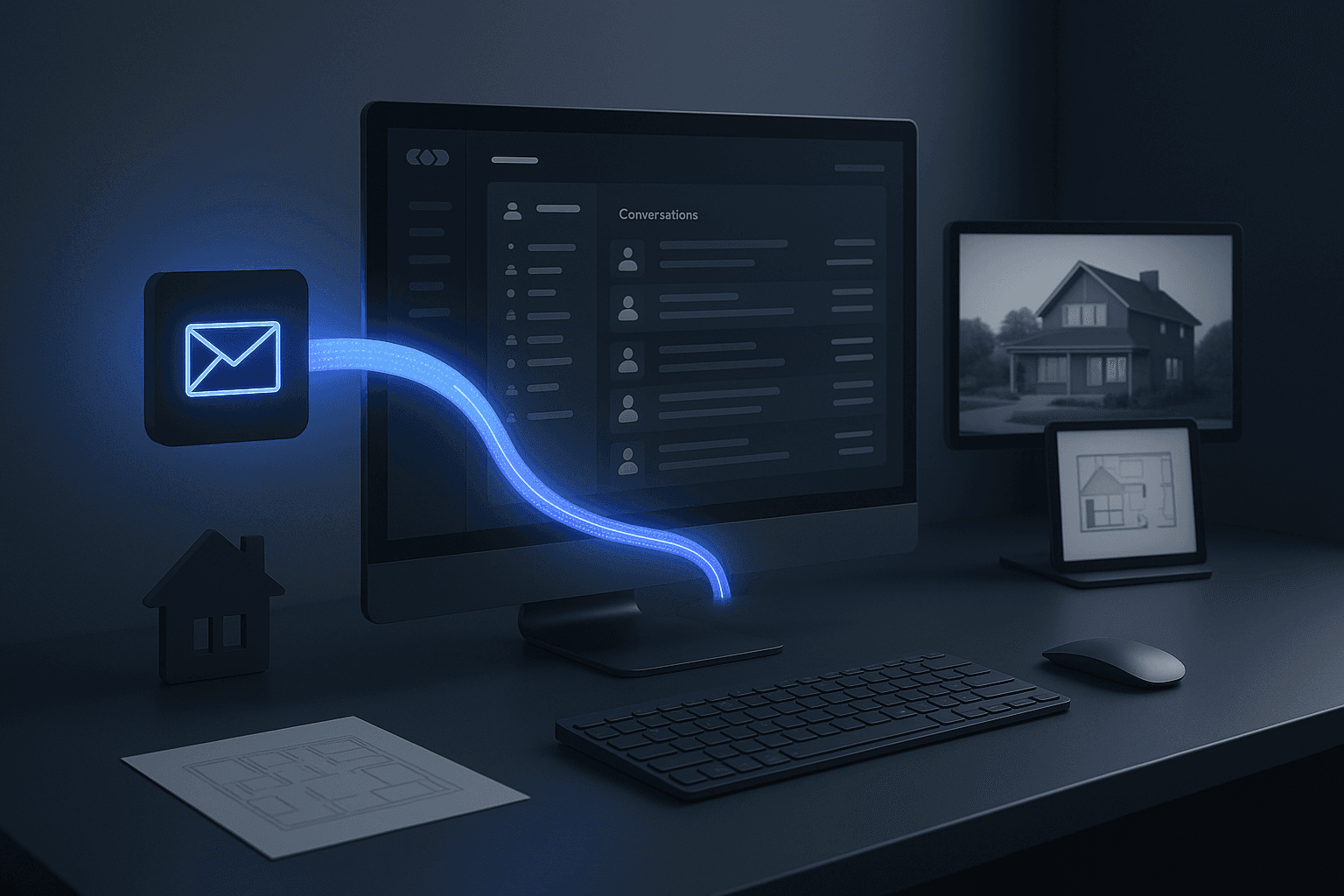
We built an intelligent automation that connects a buyer’s agent’s email inbox directly to their HubSpot CRM. Every new contact — whether it’s a client, real estate agent, or conveyancer — is automatically detected, added to the CRM if missing, and logged in their conversation history. The system also sorts emails in real time, keeping the inbox clear and ensuring no important communication is ever missed.
The Challenge
Buyers agents receive dozens of emails daily from clients, property managers, solicitors, and real estate agents. Managing these communications manually is time-consuming and error-prone.
In this case, the agent was spending several hours a day sorting through emails, identifying which messages were important, and manually adding new contacts into HubSpot. Emails from existing clients often got buried in the inbox, and potential leads occasionally slipped through unnoticed.
The process looked something like this:
Scan each email to see who it was from.
Search HubSpot to see if that person was already in the CRM.
If not, manually copy their details into a new contact record.
File the email into the correct folder for future reference.
Not only did this take up valuable hours that could have been spent talking to clients and viewing properties, but it also introduced inconsistency — some contacts weren’t properly tagged, conversation threads were split across multiple folders, and key messages occasionally got lost in the shuffle.
The agent needed a way to bring structure and automation to the chaos — without changing their tools or workflow.
The Solution
We designed a fully automated workflow that connects directly to their Outlook inbox and HubSpot CRM using n8n and an AI classification node.
Here’s how it works step-by-step:
Email Monitoring and AI Detection
The automation continuously monitors incoming emails. Each message is analysed using AI to determine whether it’s from a client, real estate agent, solicitor, or another relevant contact. Messages that don’t meet this criteria (such as newsletters or spam) are ignored automatically.CRM Contact Verification
When a new contact is detected, the automation checks HubSpot for an existing record. If the contact already exists, the message is logged under their history. If not, a new record is created instantly — complete with name, email, company, and any relevant tags.Conversation History Sync
All messages related to known contacts are archived under a “Conversation History” folder. This keeps the main inbox clean while preserving full visibility over past discussions inside the CRM.Smart Sorting and Cleanup
The automation moves relevant communications out of the primary inbox once processed. Important threads stay visible in HubSpot, while everything else is automatically filed or ignored — allowing the agent to maintain a clutter-free workspace.Optional Daily Summary
At the end of each day, the system can generate a short summary email listing:New contacts added to HubSpot
Number of conversations archived
Key messages flagged for follow-up
This end-to-end workflow now runs entirely on autopilot, requiring zero manual input.
The Results
The automation transformed how this buyers agent manages communication and relationships.
Time Saved: An estimated 1.5–2 hours per day that were previously spent sorting and entering data.
Inbox Clarity: 90% reduction in clutter — every conversation from a known contact is instantly organised.
CRM Accuracy: 100% of relevant contacts are now logged in HubSpot, with no duplicates or missed records.
Follow-Up Efficiency: Key conversations are surfaced automatically, ensuring nothing falls through the cracks.
Instead of being buried in admin, the agent now spends more time doing what drives revenue — negotiating, attending inspections, and managing clients.
The workflow runs quietly in the background, ensuring every contact and conversation stays up to date without ever lifting a finger.
The Impact
This solution created lasting operational change. The agent now works from a clean, simplified inbox, confident that every client and collaborator is tracked inside HubSpot. Follow-ups are consistent, contact records are complete, and communication history is always accessible in one place.
The automation didn’t replace the agent’s tools — it made them smarter. By bridging Outlook and HubSpot through n8n and AI detection, we removed the daily grind of inbox maintenance while keeping full transparency over client interactions.
What used to take hours of repetitive sorting now happens automatically within seconds.
Tech Stack Used
Email Platform: Outlook
CRM: HubSpot
Automation Engine: n8n
AI Classification: Custom contact-detection logic
Hosting: n8n Cloud (managed 24/7 for reliability)
Short Description:
We built an intelligent automation that connects a buyer’s agent’s email inbox directly to their HubSpot CRM. Every new contact — whether it’s a client, real estate agent, or conveyancer — is automatically detected, added to the CRM if missing, and logged in their conversation history. The system also sorts emails in real time, keeping the inbox clear and ensuring no important communication is ever missed.
The Challenge
Buyers agents receive dozens of emails daily from clients, property managers, solicitors, and real estate agents. Managing these communications manually is time-consuming and error-prone.
In this case, the agent was spending several hours a day sorting through emails, identifying which messages were important, and manually adding new contacts into HubSpot. Emails from existing clients often got buried in the inbox, and potential leads occasionally slipped through unnoticed.
The process looked something like this:
Scan each email to see who it was from.
Search HubSpot to see if that person was already in the CRM.
If not, manually copy their details into a new contact record.
File the email into the correct folder for future reference.
Not only did this take up valuable hours that could have been spent talking to clients and viewing properties, but it also introduced inconsistency — some contacts weren’t properly tagged, conversation threads were split across multiple folders, and key messages occasionally got lost in the shuffle.
The agent needed a way to bring structure and automation to the chaos — without changing their tools or workflow.
The Solution
We designed a fully automated workflow that connects directly to their Outlook inbox and HubSpot CRM using n8n and an AI classification node.
Here’s how it works step-by-step:
Email Monitoring and AI Detection
The automation continuously monitors incoming emails. Each message is analysed using AI to determine whether it’s from a client, real estate agent, solicitor, or another relevant contact. Messages that don’t meet this criteria (such as newsletters or spam) are ignored automatically.CRM Contact Verification
When a new contact is detected, the automation checks HubSpot for an existing record. If the contact already exists, the message is logged under their history. If not, a new record is created instantly — complete with name, email, company, and any relevant tags.Conversation History Sync
All messages related to known contacts are archived under a “Conversation History” folder. This keeps the main inbox clean while preserving full visibility over past discussions inside the CRM.Smart Sorting and Cleanup
The automation moves relevant communications out of the primary inbox once processed. Important threads stay visible in HubSpot, while everything else is automatically filed or ignored — allowing the agent to maintain a clutter-free workspace.Optional Daily Summary
At the end of each day, the system can generate a short summary email listing:New contacts added to HubSpot
Number of conversations archived
Key messages flagged for follow-up
This end-to-end workflow now runs entirely on autopilot, requiring zero manual input.
The Results
The automation transformed how this buyers agent manages communication and relationships.
Time Saved: An estimated 1.5–2 hours per day that were previously spent sorting and entering data.
Inbox Clarity: 90% reduction in clutter — every conversation from a known contact is instantly organised.
CRM Accuracy: 100% of relevant contacts are now logged in HubSpot, with no duplicates or missed records.
Follow-Up Efficiency: Key conversations are surfaced automatically, ensuring nothing falls through the cracks.
Instead of being buried in admin, the agent now spends more time doing what drives revenue — negotiating, attending inspections, and managing clients.
The workflow runs quietly in the background, ensuring every contact and conversation stays up to date without ever lifting a finger.
The Impact
This solution created lasting operational change. The agent now works from a clean, simplified inbox, confident that every client and collaborator is tracked inside HubSpot. Follow-ups are consistent, contact records are complete, and communication history is always accessible in one place.
The automation didn’t replace the agent’s tools — it made them smarter. By bridging Outlook and HubSpot through n8n and AI detection, we removed the daily grind of inbox maintenance while keeping full transparency over client interactions.
What used to take hours of repetitive sorting now happens automatically within seconds.
Tech Stack Used
Email Platform: Outlook
CRM: HubSpot
Automation Engine: n8n
AI Classification: Custom contact-detection logic
Hosting: n8n Cloud (managed 24/7 for reliability)
Short Description:
We built an intelligent automation that connects a buyer’s agent’s email inbox directly to their HubSpot CRM. Every new contact — whether it’s a client, real estate agent, or conveyancer — is automatically detected, added to the CRM if missing, and logged in their conversation history. The system also sorts emails in real time, keeping the inbox clear and ensuring no important communication is ever missed.
The Challenge
Buyers agents receive dozens of emails daily from clients, property managers, solicitors, and real estate agents. Managing these communications manually is time-consuming and error-prone.
In this case, the agent was spending several hours a day sorting through emails, identifying which messages were important, and manually adding new contacts into HubSpot. Emails from existing clients often got buried in the inbox, and potential leads occasionally slipped through unnoticed.
The process looked something like this:
Scan each email to see who it was from.
Search HubSpot to see if that person was already in the CRM.
If not, manually copy their details into a new contact record.
File the email into the correct folder for future reference.
Not only did this take up valuable hours that could have been spent talking to clients and viewing properties, but it also introduced inconsistency — some contacts weren’t properly tagged, conversation threads were split across multiple folders, and key messages occasionally got lost in the shuffle.
The agent needed a way to bring structure and automation to the chaos — without changing their tools or workflow.
The Solution
We designed a fully automated workflow that connects directly to their Outlook inbox and HubSpot CRM using n8n and an AI classification node.
Here’s how it works step-by-step:
Email Monitoring and AI Detection
The automation continuously monitors incoming emails. Each message is analysed using AI to determine whether it’s from a client, real estate agent, solicitor, or another relevant contact. Messages that don’t meet this criteria (such as newsletters or spam) are ignored automatically.CRM Contact Verification
When a new contact is detected, the automation checks HubSpot for an existing record. If the contact already exists, the message is logged under their history. If not, a new record is created instantly — complete with name, email, company, and any relevant tags.Conversation History Sync
All messages related to known contacts are archived under a “Conversation History” folder. This keeps the main inbox clean while preserving full visibility over past discussions inside the CRM.Smart Sorting and Cleanup
The automation moves relevant communications out of the primary inbox once processed. Important threads stay visible in HubSpot, while everything else is automatically filed or ignored — allowing the agent to maintain a clutter-free workspace.Optional Daily Summary
At the end of each day, the system can generate a short summary email listing:New contacts added to HubSpot
Number of conversations archived
Key messages flagged for follow-up
This end-to-end workflow now runs entirely on autopilot, requiring zero manual input.
The Results
The automation transformed how this buyers agent manages communication and relationships.
Time Saved: An estimated 1.5–2 hours per day that were previously spent sorting and entering data.
Inbox Clarity: 90% reduction in clutter — every conversation from a known contact is instantly organised.
CRM Accuracy: 100% of relevant contacts are now logged in HubSpot, with no duplicates or missed records.
Follow-Up Efficiency: Key conversations are surfaced automatically, ensuring nothing falls through the cracks.
Instead of being buried in admin, the agent now spends more time doing what drives revenue — negotiating, attending inspections, and managing clients.
The workflow runs quietly in the background, ensuring every contact and conversation stays up to date without ever lifting a finger.
The Impact
This solution created lasting operational change. The agent now works from a clean, simplified inbox, confident that every client and collaborator is tracked inside HubSpot. Follow-ups are consistent, contact records are complete, and communication history is always accessible in one place.
The automation didn’t replace the agent’s tools — it made them smarter. By bridging Outlook and HubSpot through n8n and AI detection, we removed the daily grind of inbox maintenance while keeping full transparency over client interactions.
What used to take hours of repetitive sorting now happens automatically within seconds.
Tech Stack Used
Email Platform: Outlook
CRM: HubSpot
Automation Engine: n8n
AI Classification: Custom contact-detection logic
Hosting: n8n Cloud (managed 24/7 for reliability)